
Inbox & team
Choose who gets notified, and how
Pick which events reach each teammate by email or sound: chats that need a person, chats assigned to them, shoppers waiting on a reply and mentions in notes.
Updated
When WOLE hands a chat over, someone needs to know. Settings → Notifications decides who hears about what, and how.
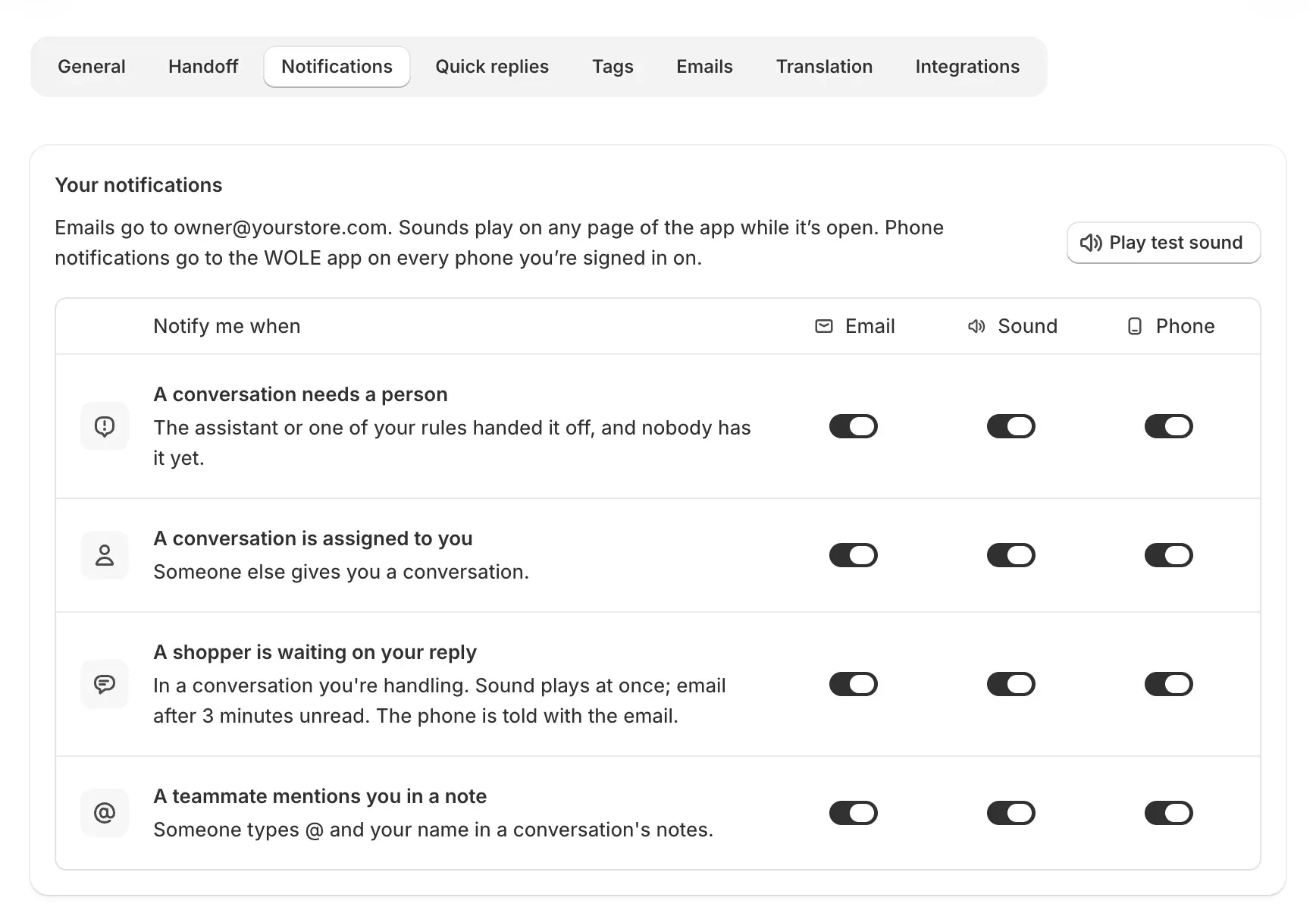
The four events
| Event | When it fires |
|---|---|
| A conversation needs a person | WOLE or one of your rules handed a chat off, and nobody has it yet. |
| A conversation is assigned to you | Someone else gives you a chat. |
| A shopper is waiting on your reply | In a chat you’re handling, the shopper wrote and you haven’t answered. |
| A teammate mentions you in a note | Someone types @ and your name in a conversation’s notes. |
How you hear about them
Each event has its own switches, all on to start with:
- Email goes to the address on your Shopify staff account.
- Sound plays on any page of WOLE while you have it open. Play test sound checks your speakers.
- Phone is for WOLE’s phone app, which isn’t available yet.
For a shopper waiting on your reply, the sound plays at once, and the email follows after 3 minutes if the message is still unread.
Your settings and the team’s
Your notifications are your own. Team defaults apply to every teammate who hasn’t chosen for themselves, and Reset to team defaults puts yours back to them. Changing the team defaults, or another teammate’s choices, needs the Manage access permission. The store owner’s choices are theirs alone.
A chat that a handoff rule assigns to a teammate always reaches that teammate, whatever they’ve switched off.
Away
A teammate set to Away gets no sound or phone alert for handoffs or waiting shoppers. Assignments and mentions still reach them, and email always arrives.
Running out of credits
Alerts about your plan’s credits always go to the store owner and can’t be turned off.