
Getting started
Test the AI before shoppers see it
Ask WOLE your shoppers' questions in Test AI, see what it used for each reply, and fill the gaps before it talks to a real customer. Tests use no credits.
Updated
Test AI runs the real assistant on your store’s real products, orders and answers, inside the same widget your shoppers get. Nothing you ask there reaches your Inbox, and tests use no credits.
Ask what a shopper would
- Open Test AI from WOLE’s menu in your Shopify admin.
- Type into the chat, or tap a suggested question like “Where is my order #1001?” or “Can I talk to a person?”.
- Carry on as a shopper would. Follow-up questions build on the conversation so far, just as they do on your store.
Click Reset to start a new conversation.
Read what it did
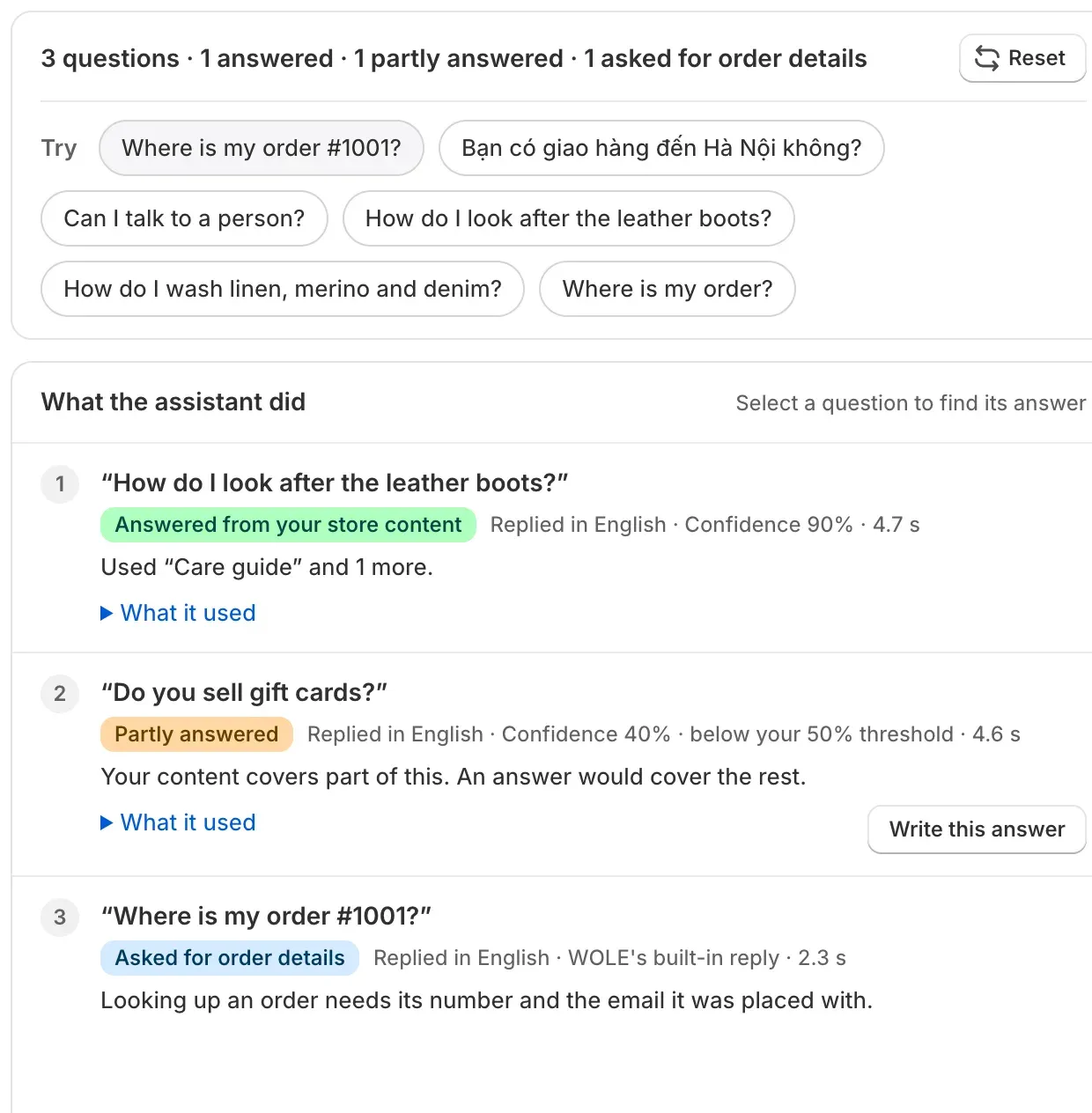
Every question you ask shows up under What the assistant did. Each card says how WOLE answered:
| What the card says | What it means | What to do |
|---|---|---|
| Answered from your FAQ, products, store content, house rules or the order | It found what it needed. What it used lists the answers, products or pages. | Check that the facts are right. |
| Partly answered | Your content covers part of the question. | Add an answer for the rest. |
| Couldn’t answer | Nothing in your knowledge covers it, so it offered a teammate. | Click Write this answer. |
| Asked for order details | Looking up an order needs its number and the email it was placed with. | Try a real order number and its email. |
| Handed to your team | It passed the chat to your team, and the card says why. | Check the reason. On your store, a teammate takes over here. |
A handoff can come from money being involved, an upset shopper, a sensitive topic, low confidence, or a handoff rule of yours. A card can also show the confidence of the answer, the language WOLE replied in and how long the reply took. If confidence is below the threshold you set in Settings, the card says so.
Write this answer opens the FAQ tab of AI Training with a new answer started for that exact question. You only write the answer.
Fix it, then ask again
After you add or change something, ask the same question again. Click Reset first if the earlier replies would get in the way. Answers you import can take a few minutes before the assistant finds them.
After a handoff, Test AI keeps replying so you can carry on testing. Those cards note that on your store a teammate would have the chat by then.
What to try before you go live
- Your ten most common questions, worded the way shoppers write them, typos and all.
- A product question with a variant: “Do you have the linen shirt in black, size M?”
- An order: a real order number and the email it was placed with.
- “Can I talk to a person?” WOLE should offer your team.
- A question in another language. WOLE replies in the language the shopper writes in.
- Something you don’t sell or don’t do. WOLE should say so, not make something up.
How many tests you get
Tests use no credits, but each plan allows a number of test messages a day; the Free plan allows 20. When they run out, Test AI tells you, and you can test again the next day.