
Troubleshooting
The chat bubble doesn't show on my store
Work through the usual reasons the WOLE bubble is missing: the app embed, the widget's own switch, hidden pages, small phones, and the theme you're looking at.
Updated
Go through these in order. Most missing bubbles are the first one.
1. Is the app embed on in your live theme?
Look at the Storefront widget card on WOLE’s Dashboard. Off means shoppers can’t see the chat yet.
Open Storefront widget and click Open theme editor. Under App embeds, WOLE chat widget should be switched on. Click Save: the switch does nothing until you save.
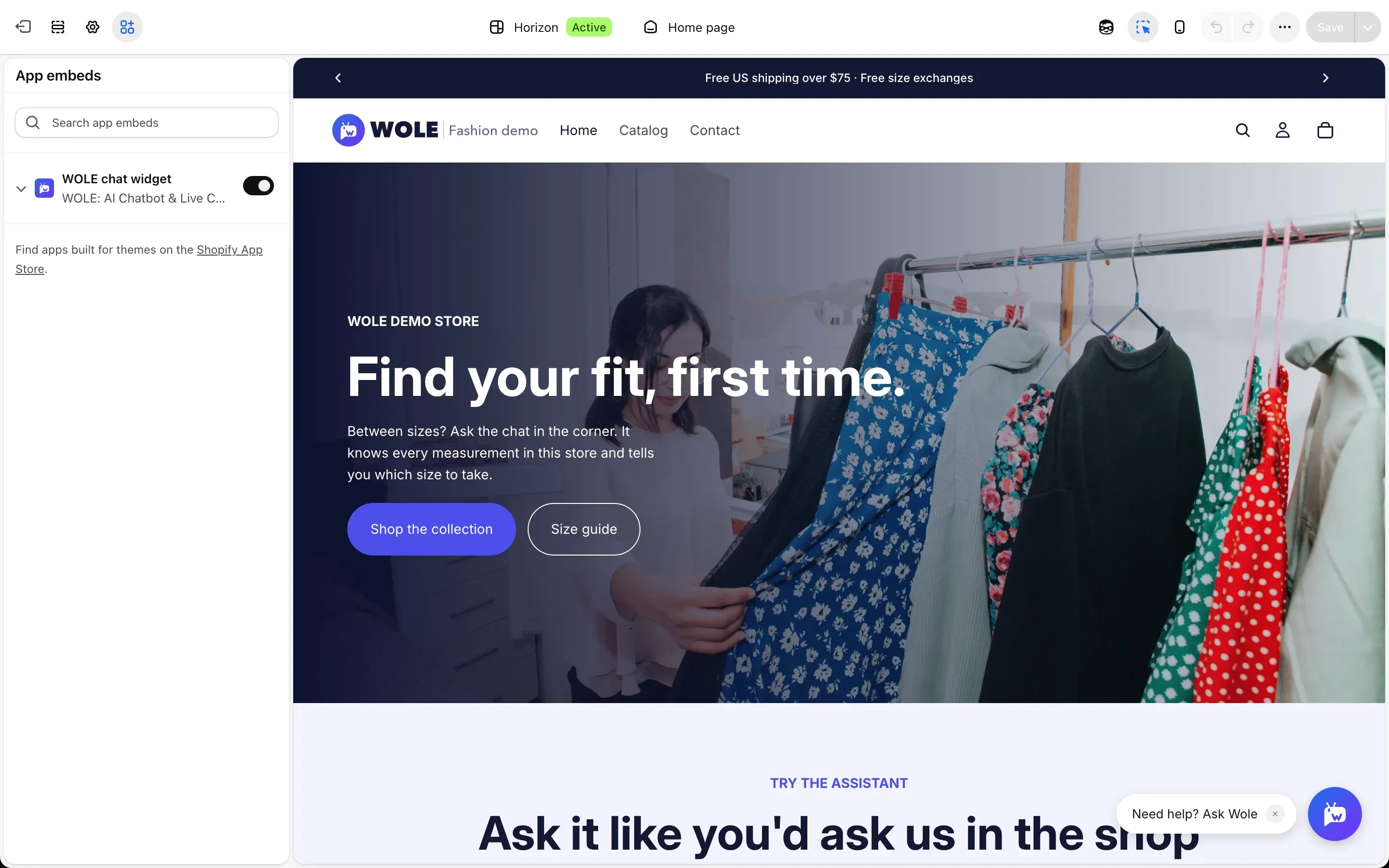
The embed belongs to one theme. If you switched themes, or turned it on while editing a theme that isn’t published, turn it on in your live theme. Install WOLE and turn on the chat has the steps.
2. Is the widget switched on?
In Storefront widget, open Customize, then Appearance. Show the widget on my online store must be on. With it off, the live preview says Widget hidden.
3. Is the page hidden?
Under Position, Hide on these URLs keeps the widget off the pages it lists. Check that the page you’re looking at isn’t covered, especially by a *.
The widget never shows on Shopify’s checkout.
4. Are you on a small phone?
Hide on mobile below 480px, under Position, keeps the bubble off small phone screens. The mobile preview says Hidden on small phones when it’s on.
5. Give it a moment
The bubble loads after the rest of the page, so the page shows first. It can take a few seconds on a slow connection.
6. Rule out your browser
If your store is behind a password, enter it first. Then try a private window: browser extensions that block scripts can stop the widget loading.
The bubble shows, but the chat won’t connect
If the chat opens and says Could not connect to support. Please try again., click Try again. If it keeps happening, open the chat button in the corner of any WOLE screen in your admin and tell us the page address.